RobotLab Virtual Reality
OASD - Support Article
Contents
Overview
The OASD has virtual reality equipment that provides teachers with the means to expand their classsrooms, and the content that students can absorb.
The equipment comes in 30 headset sets. The two cases containing the equipment should hold everything necessary to run a virtual excursion. The following is the manifest of the contents of the cases:
- Headsets (30)
- Headset hand controls (30)
- Ear buds (30)
- Charging stations (3)
- Class use only router (1)
- 360 HD Camera (1)
- Miscellaneous service cords
Before Use
These intructions start before a case is even opened. Following them should ease and quicken the process of getting into VR.
The headset/controller pairing numbers are important to follow. All of the devices have been pre-paired to make it possible to use without confusion about controllers.
- Instruct users that the software configuration of the devices should not be touched as to not make these intructions irrelevant
- Once the case is opened:
- Take the router and plug it in to a wall socket
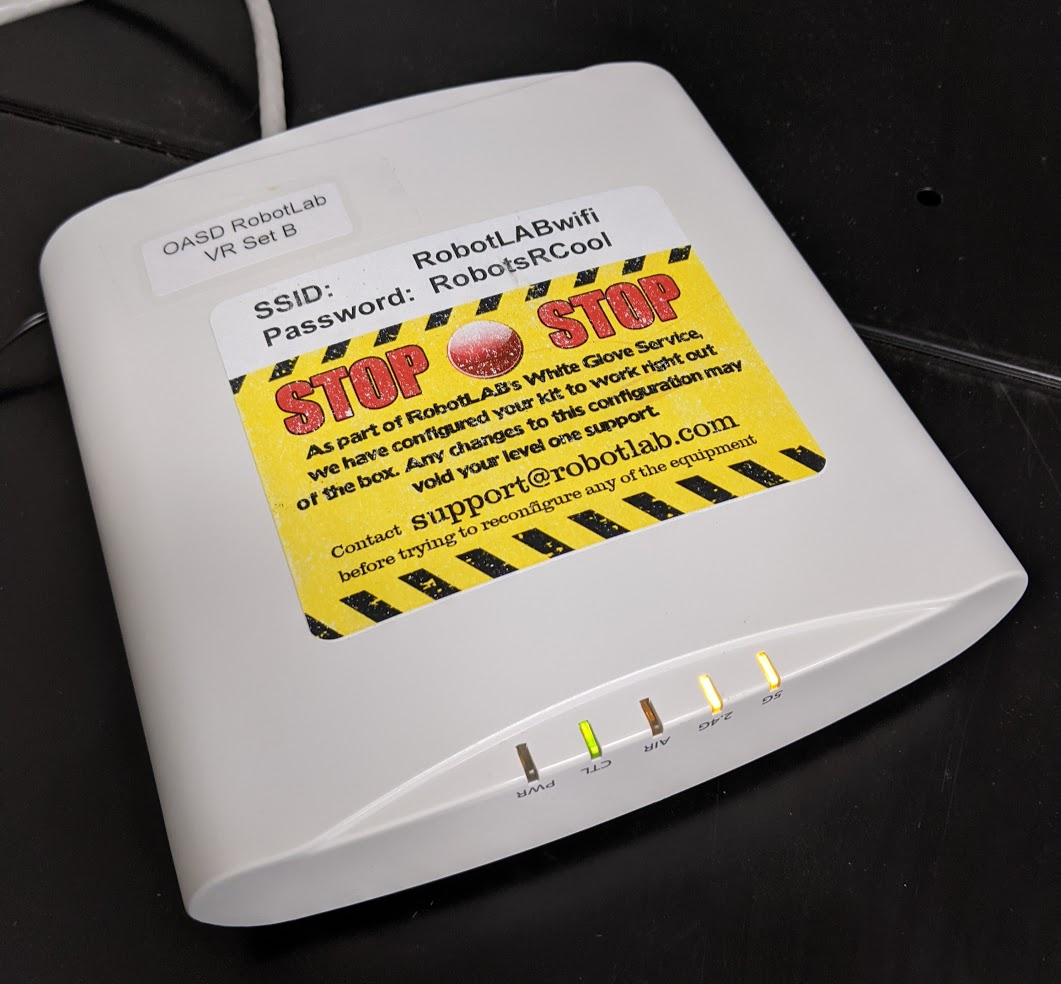
Wait for the 2.4GHz and 5GHz lights to illuminate before turning on headsets - Have students take one headset per-person
- Hand each controller out to the person with the identically-numbered headset
- Take the router and plug it in to a wall socket
Using/Next Steps
- Don headsets and press and hold the power button on the right side
- When the headset is on and it asks the user to wake up the controller, take the paired controller and hold the lower circular button until the screen changes
- The users should now be on a home screen with a large white window displaying "no internet"
- This section is to be continued once the new software is available
FAQ
- The headset is on, but when the controller home button is pressed, nothing happens
If the controller is dead, the headset cannot be used. Try to put it on a charger. The controllers are very sensitive, and some will only charge on some USB-C cables. - The router has no internet!
The router is not meant to provide internet access, only a link between the class devices. This is useful when doing group exploration. - It says there is no internet on the home page of the headset
This is expected, especially if the device is connected to the provided router. The error is due to the deprecation of the software the headsets use. - The headset is too small
Try to adjust the size of the head support using the knob at the back - Both the headset and the controller are on, but they aren't connecting
They probably are not paired. First, verify that the pair number for the controller and the headset are the same. Then, press both volume buttons on the headset at the same time (right side, under power button). Try to press the controller home button again.